Windows 7
Tutoriel Windows 7
Cours Windows 7 gratuit, 56 leçons vidéo par TeachUComp.
56 Leçon
2 h 18 min
3 Inscrit
Certificat: Oui
Introduction Contenu du cours
56 Leçon · 2 h 18 min
01
Tutoriel Windows 7 À propos de Windows Formation Microsoft Leçon 1.1
04:01
02
Tutoriel Windows 7 L'environnement Windows Formation Microsoft Leçon 1.2
03:32
03
Tutoriel Windows 7 La souris Formation Microsoft Leçon 1.3
05:06
04
Tutoriel Windows 7 Démarrer un programme Formation Microsoft Leçon 1.4
02:04
05
Tutoriel Windows 7 Utiliser Windows Formation Microsoft Leçon 1.5
06:10
06
Tutoriel Windows 7 Faire défiler les fenêtres Formation Microsoft Leçon 1.6
01:25
07
Tutoriel Windows 7 Éteindre Windows Formation Microsoft Leçon 1.7
01:36
08
Tutoriel Windows 7 Changer les vues de fenêtre Formation Microsoft Leçon 1.8
01:55
09
Tutoriel Windows 7 Trier le contenu des dossiers Formation Microsoft Leçon 1.9
02:03
10
Tutoriel Windows 7 Aide Windows Formation Microsoft Leçon 1.10
02:19
11
Tutoriel Windows 7 Définir les propriétés d'affichage du moniteur Formation Microsoft Leçon 2.1
04:19
12
Tutoriel Windows 7 Naviguer dans les dossiers Formation Microsoft Leçon 2.2
02:09
13
Tutoriel Windows 7 Créer des raccourcis sur le bureau Formation Microsoft Leçon 2.3
02:04
14
Tutoriel Windows 7 Épingler des éléments à la barre des tâches / Barre d'outils de lancement rapide Formation Microsoft Leçon 2.4
02:00
15
Tutoriel Windows 7 Le Panneau de configuration Formation Microsoft Leçon 2.5
03:11
16
Tutoriel Windows 7 Sauvegarde et restauration dans Windows 7 Formation Microsoft Leçon 2.6
05:09
17
Tutoriel Windows 7 Sauvegarde et restauration dans Windows Vista Formation Microsoft Leçon 2.7
01:12
18
Tutoriel Windows 7 Restauration du système Formation Microsoft Leçon 2.8
03:31
19
Tutoriel Windows 7 Créer des utilisateurs Formation Microsoft Leçon 2.9
02:58
20
Tutoriel Windows 7 Réglage audio Formation Microsoft Leçon 2.10
02:27
21
Windows 7 Tutoriel Ajouter des appareils/imprimantes Microsoft Formation Leçon 2.11
01:57
22
Windows 7 Tutoriel Installer et désinstaller de nouveaux logiciels Microsoft Formation Leçon 2.12
01:33
23
Windows 7 Tutoriel Déplacer et redimensionner la barre des tâches Windows Microsoft Formation Leçon 3.1
02:06
24
Windows 7 Tutoriel Régler l'affichage de la date et de l'heure Microsoft Formation Leçon 3.2
01:55
25
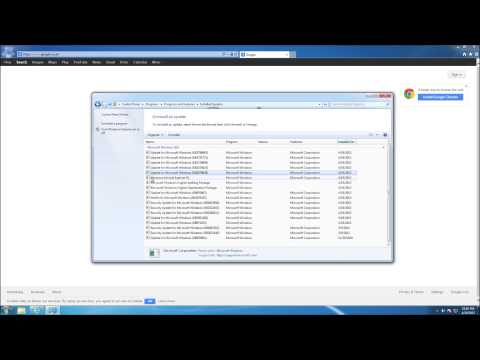
Windows 7 Tutoriel Mises à jour Windows Microsoft Formation Leçon 3.3
02:34
26
Windows 7 Tutoriel Personnaliser le menu Démarrer Microsoft Formation Leçon 3.4
02:49
27
Windows 7 Tutoriel Démarrer WordPad Microsoft Formation Leçon 4.1
03:37
28
Windows 7 Tutoriel Éditer du texte Microsoft Formation Leçon 4.2
02:08
29
Windows 7 Tutoriel Formater du texte Microsoft Formation Leçon 4.3
03:43
30
Windows 7 Tutoriel Enregistrer un document Microsoft Formation Leçon 4.4
02:29
31
Windows 7 Tutoriel Ouvrir un document Microsoft Formation Leçon 4.5
01:14
32
Windows 7 Tutoriel Imprimer un document Microsoft Formation Leçon 4.6
01:34
33
Windows 7 Tutoriel Fermer un document Microsoft Formation Leçon 4.7
00:33
34
Windows 7 Tutoriel Démarrer Paint Microsoft Formation Leçon 5.1
01:39
35
Windows 7 Tutoriel Dessiner des formes et des lignes Microsoft Formation Leçon 5.2
02:38
36
Windows 7 Tutoriel Ajouter du texte Microsoft Formation Leçon 5.3
01:38
37
Windows 7 Tutoriel Effacer des parties d'une image Microsoft Formation Leçon 5.4
01:17
38
Windows 7 Tutoriel Enregistrer une image Microsoft Formation Leçon 5.5
01:05
39
Windows 7 Tutoriel Ouvrir une image Microsoft Formation Leçon 5.6
01:11
40
Windows 7 Tutoriel Rechercher un fichier ou un dossier Microsoft Formation Leçon 6.1
01:05
41
Windows 7 Tutoriel Sélectionner des fichiers Formation Microsoft Leçon 6.2
02:04
42
Windows 7 Tutoriel Ouvrir un fichier Formation Microsoft Leçon 6.3
01:02
43
Windows 7 Tutoriel Ouvrir un fichier récemment accédé Formation Microsoft Leçon 6.4
01:55
44
Windows 7 Tutoriel Créer un nouveau dossier Formation Microsoft Leçon 6.5
01:43
45
Windows 7 Tutoriel Renommer des fichiers Formation Microsoft Leçon 6.6
01:31
46
Windows 7 Tutoriel Couper, Copier et Coller des fichiers et dossiers Formation Microsoft Leçon 6.7
04:18
47
Windows 7 Tutoriel Graver un CD ou un DVD Formation Microsoft Leçon 6.8
04:19
48
Windows 7 Tutoriel Supprimer des fichiers Formation Microsoft Leçon 6.9
01:35
49
Windows 7 Tutoriel La Corbeille Formation Microsoft Leçon 6.10
02:29
50
Windows 7 Tutoriel À propos d'Internet Formation Microsoft Leçon 7.1
03:24
51
Windows 7 Tutoriel Utiliser Internet Explorer Formation Microsoft Leçon 7.2
05:37
52
Windows 7 Tutoriel Se connecter à Internet Formation Microsoft Leçon 7.3
01:56
53
Windows 7 Tutoriel Microsoft Security Essentials Formation Microsoft Leçon 7.4
01:56
54
Windows 7 Tutoriel Sélectionner une imprimante Formation Microsoft Leçon 8.1
01:56
55
Windows 7 Tutoriel Options d'impression générales Formation Microsoft Leçon 8.2
02:19
56
Windows 7 Tutoriel Gérer les travaux d'impression Formation Microsoft Leçon 8.3
01:11